Export data from SQL Server to CSV as fast as possible
Romain Ferraton ·
Exporting large volumes of data from SQL Server is a common requirement for analytics, data migration, backups, or data sharing. However, not all export tools deliver the same performance, scalability, or ease of use.
In this article, we compare several common approaches using the TPC-H orders table as a benchmark:
- BCP (CLI – native SQL Server tool)
- SSIS (No-code ETL)
- sqlcmd (CLI – scripting oriented)
- FastBCP (CLI – high-performance parallel exporter)
Test context
We use the TPC-H orders table, typically containing millions of rows:
SELECT COUNT(*) FROM dbo.orders; -- ==> 15M rowsAssumptions:
- SQL Server 2019+
- Export to CSV format
- Local SSD storage
- Minimal transformation (raw export)
1. BCP (Bulk Copy Program)
BCP is the historical command-line tool provided by Microsoft. It is fast, lightweight, and reliable, but limited to single-threaded exports.
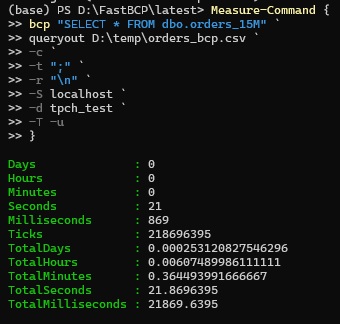
BCP export command
bcp "SELECT * FROM dbo.orders_15M" `
queryout D:\temp\orders_bcp.csv `
-c `
-t ";" `
-r "\n" `
-S localhost `
-d tpch_test `
-T -u
Pros
- Fast for single-threaded export
- No additional dependencies
- Stable and well-known
Cons
- No parallelism
- No header :-(
- Limited control over formatting
- Limited log output, or too long
- No compression
- No partitioned output
- Export only locally
- Export only to CSV or SQL binary format
- Only SQL Server
2. SSIS (SQL Server Integration Services)
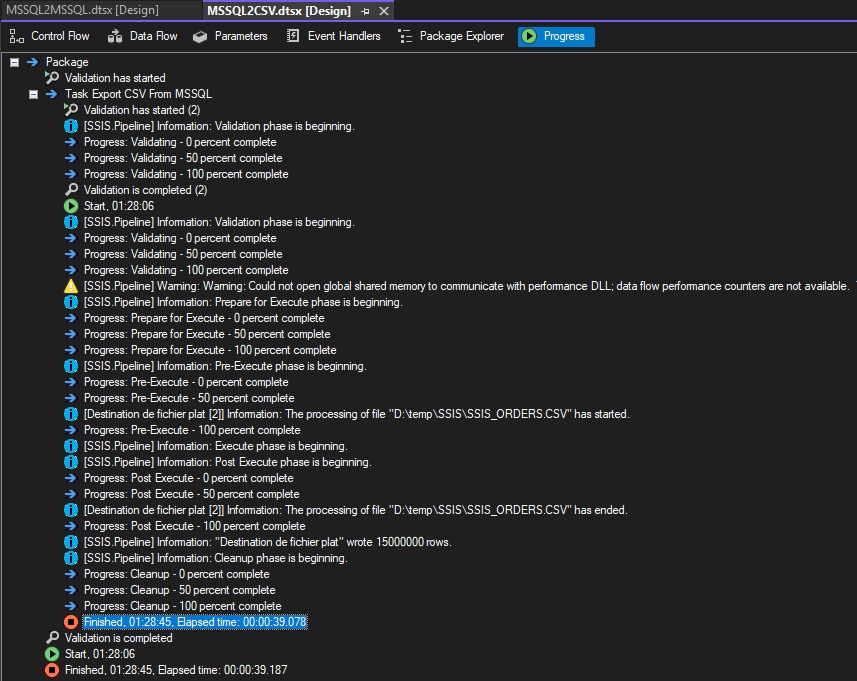
SSIS is a graphical ETL tool suitable for non-developers and complex pipelines. It can reach good performance but requires more setup and infrastructure.
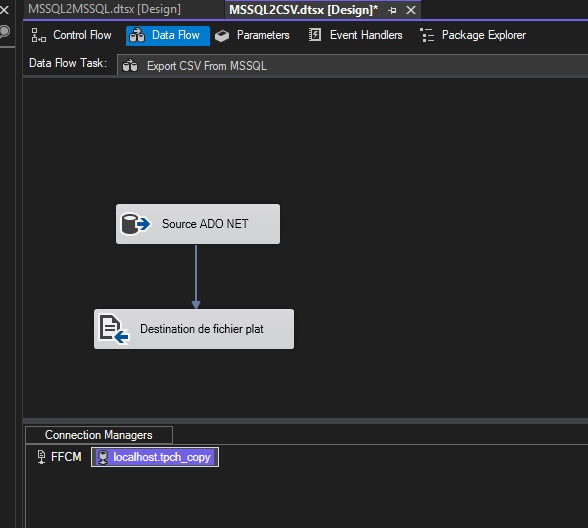
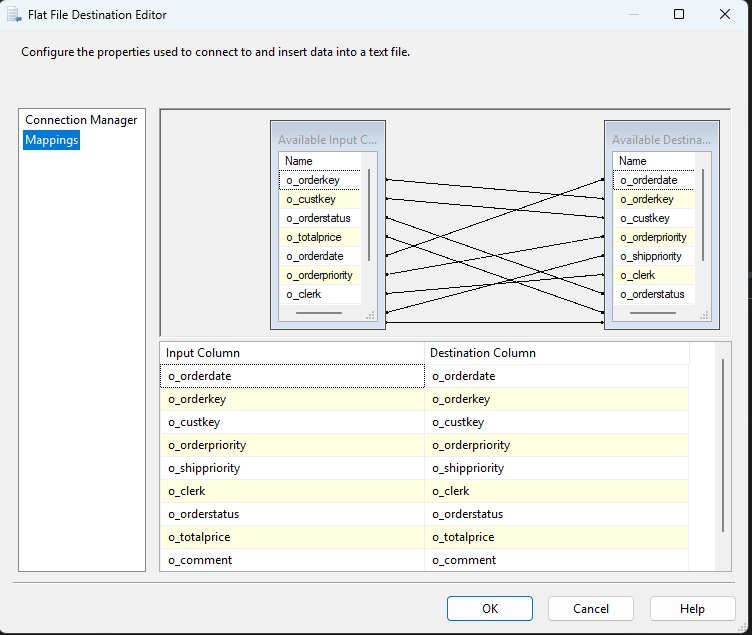
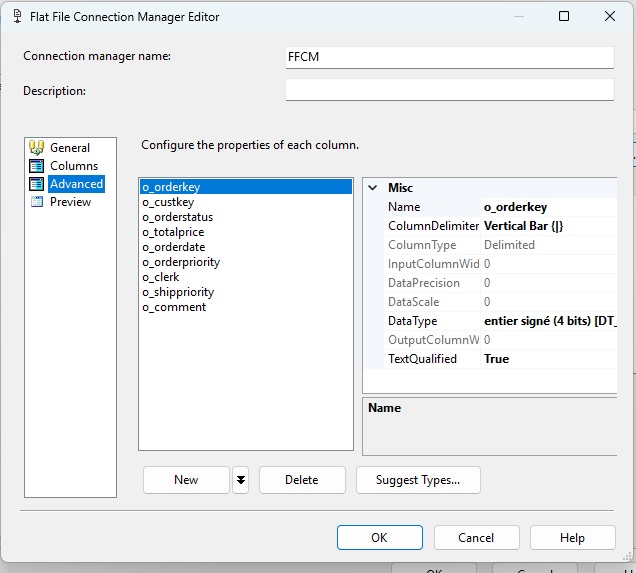
Typical SSIS flow
- OLE DB Source → orders table
- Flat File Destination → CSV
Key performance settings:
- Appropriate
DefaultBufferMaxRows - Minimal transformations
Pros
- No code required
- Scheduling
- Logging
- Monitoring
- Works with many databases
- Can make complex transformations
Cons
- No parallelism
- Heavier infrastructure (service, database)
- Slow development
- Slow to scale to hundreds of tables
- Lower raw performance than CLI tools
- Not ideal for simple exports
- Export only locally
3. sqlcmd
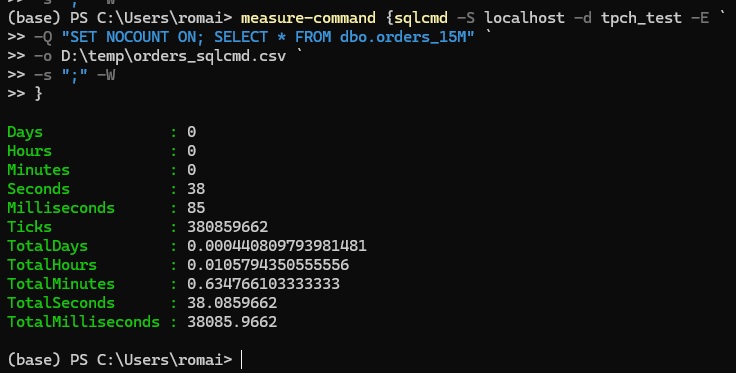
sqlcmd is a scripting-oriented CLI tool. It is flexible but not designed for high-volume exports.
sqlcmd export command
measure-command {sqlcmd -S localhost -d tpch_test -E `
-Q "SET NOCOUNT ON; SELECT * FROM dbo.orders_15M" `
-o D:\temp\orders_sqlcmd.csv `
-s ";" -W
}
Pros
- Very simple
- Good for automation scripts
- No additional tooling
Cons
- No parallelism
- No logs
- Bad header: needs some trick to remove the 2nd line
- Only works with SQL Server
- Export only locally
4. FastBCP (High-performance parallel export)
FastBCP is a modern CLI tool designed specifically for maximum export speed. It uses parallel extraction to fully leverage modern CPUs and storage.
Official website: https://fastbcp.arpe.io
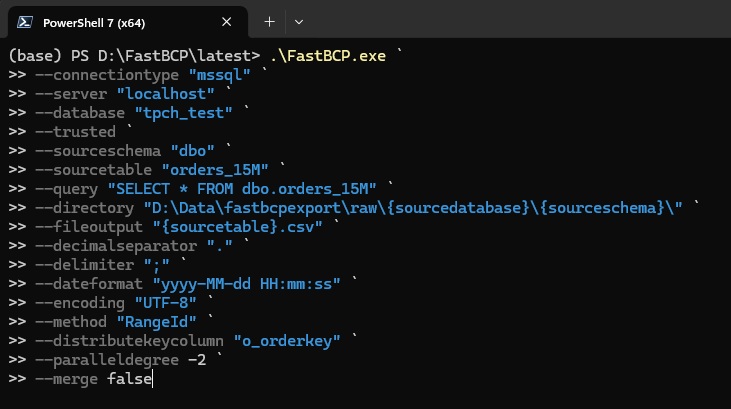
FastBCP export command
.\FastBCP.exe `
--connectiontype "mssql" `
--server "localhost" `
--database "tpch_test" `
--trusted `
--sourceschema "dbo" `
--sourcetable "orders_15M" `
--query "SELECT * FROM dbo.orders_15M" `
--directory "D:\Data\fastbcpexport\raw\{sourcedatabase}\{sourceschema}\" `
--fileoutput "{sourcetable}.csv" `
--decimalseparator "." `
--delimiter ";" `
--dateformat "yyyy-MM-dd HH:mm:ss" `
--encoding "UTF-8" `
--method "RangeId" `
--distributekeycolumn "o_orderkey" `
--paralleldegree -2 `
--merge false
Key concepts
- Table or query can be split using a parallel method
- Multiple concurrent readers
- Linear scalability with CPU cores
Pros
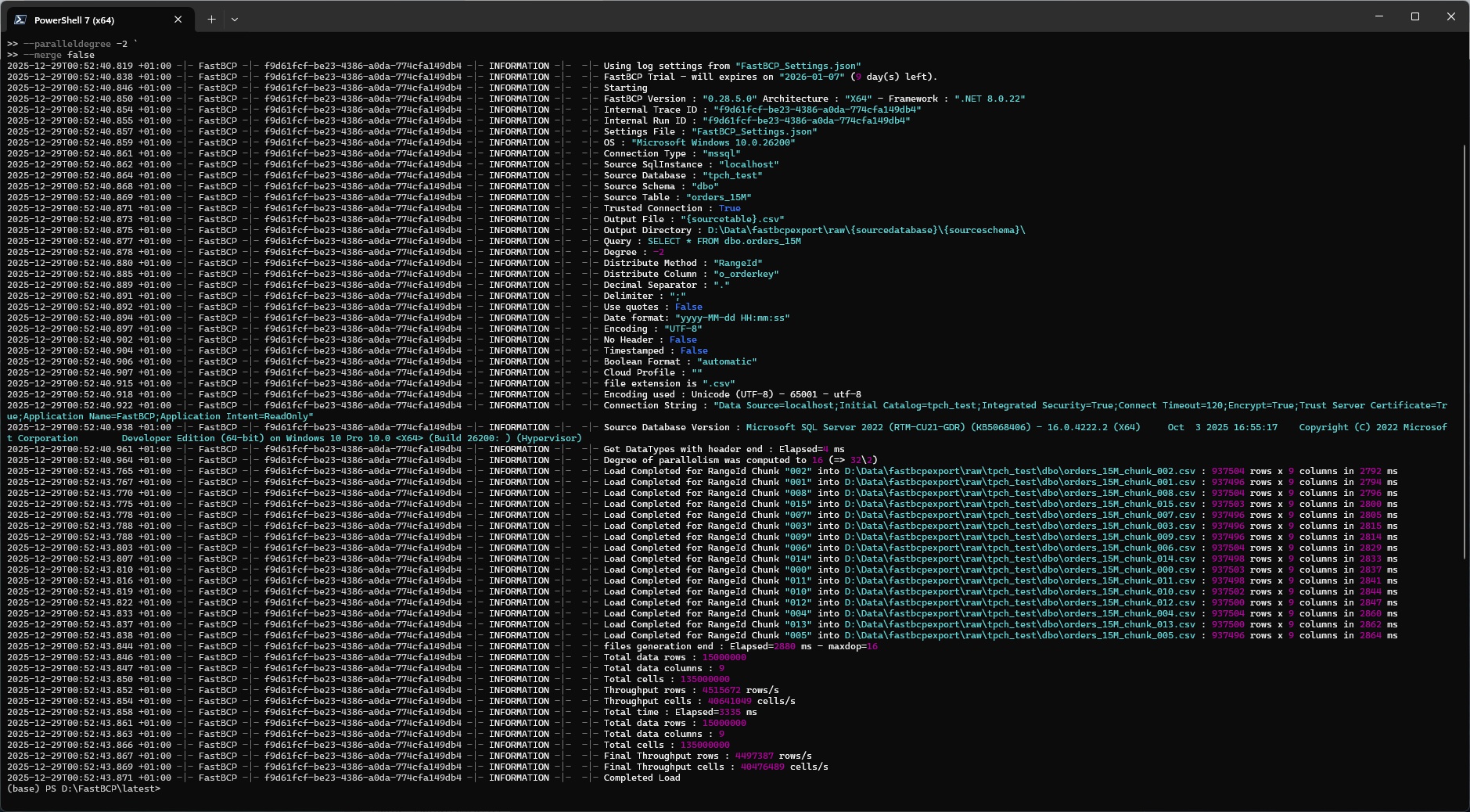
- Much faster than BCP, SSIS and sqlcmd
- True parallelism
- Simple CLI usage
- Clean header without headache
- Drivers included
- Templating for output file names and directories
- Works with other databases (Oracle, MySQL, PostgreSQL, Netezza, ODBC…)
- No installation (just copy the .exe file)
- Works on Windows and Linux
- Can also export to the cloud (AWS S3, S3 compatibles, Azure (ABS & ADLS), GCS, OneLake)
Cons
- External tool
- Can be CPU intensive (but this is what you want to go faster)
Performance comparison (typical results)
| Tool | Speed | Dev Time | Parallel | Complexity | Limited to SQL Server |
|---|---|---|---|---|---|
| sqlcmd | Slow (38s) | Fast (30s) | No | Low | Yes |
| SSIS | Slow (39s) | Slow (10min) | No | High | No |
| BCP | Fast (21s) | Fast (30s) | No | Low | Yes |
| FastBCP | Very fast (3s) | Fast (30s) | Yes | Low | No |
Conclusion
If you need a quick and simple export, BCP remains a solid choice. For complex ETL pipelines and workflows, SSIS is appropriate. For scripting, sqlcmd is convenient but has some issues and is limited to SQL Server.
However, when the objective is exporting large SQL Server tables as fast as possible, FastBCP clearly stands out thanks to its parallel architecture and CLI simplicity. Bonus: it can do the same for many other databases and formats (Parquet, JSON, XLSX).